


The Epicor Data Management Tool (DMT) is the primary utility for migrating, importing, and updating large volumes of data into Epicor Kinetic ERP, using CSV templates for speed and accuracy. It is essential for loading master files (parts, customers), opening balances, and performing mass updates while validating data integrity via Epicor’s business logic.
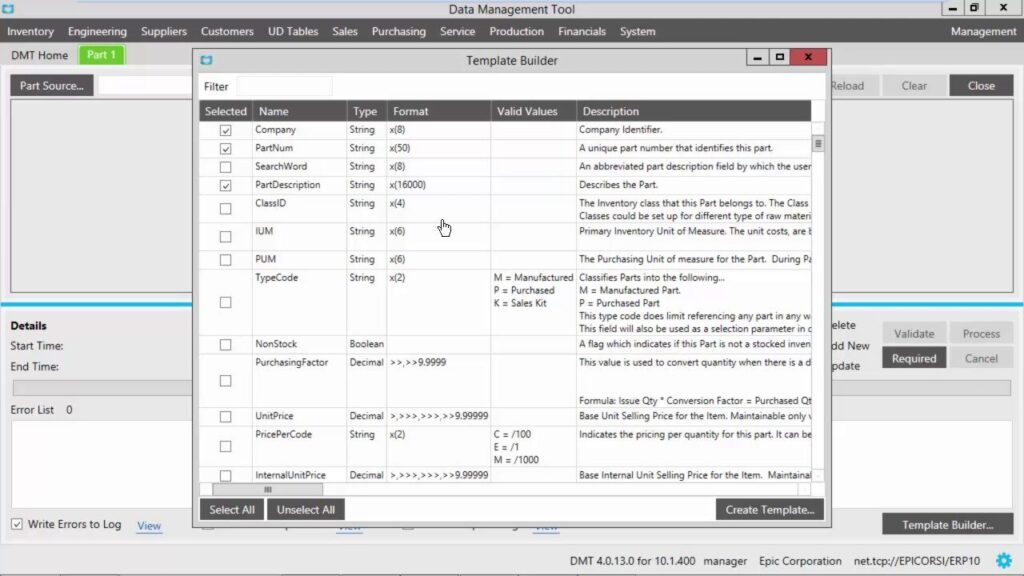
Key Features of Epicor DMT
- Bulk Import/Update: Quickly adds, updates, or deletes large datasets (e.g., customers, price lists) directly into the ERP system.
- Template-Driven: Uses pre-defined CSV templates with mandatory fields to ensure data accuracy.
- Data Validation: Automatically validates data during the import process to prevent errors.
- Error Logging: Provides detailed logs to identify issues in the import process.
- Use Cases: Primarily used during initial implementation, system upgrades (e.g., migrating to Kinetic), and routine maintenance.
Data Migration Process
- Select Template: Choose the appropriate table/template in the DMT.
- Populate Data: Fill the CSV template with data, often generated from SQL queries.
- Validate/Import: Load the file into DMT, validate, and process.
Additional Migration Resources
- Data Extraction Tool: Helps extract data from legacy systems like Epicor iScala or Enterprise.
- SSRS Migration Tool: Assists in moving reports, including subfolders and updating data sources.